
KTLA 5 News Los Angeles
Nexstar Inc.News & Magazines
3.11.84K Reviews
- Version
- 510.0.1
- Installs
- 100.00K
- Age Rating
- Teen
Screenshots
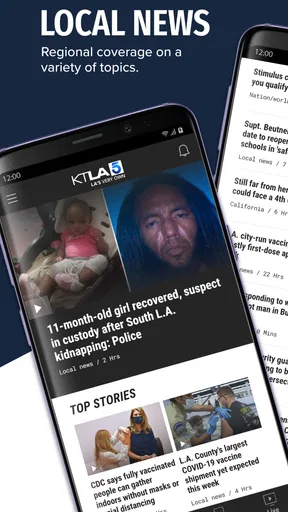
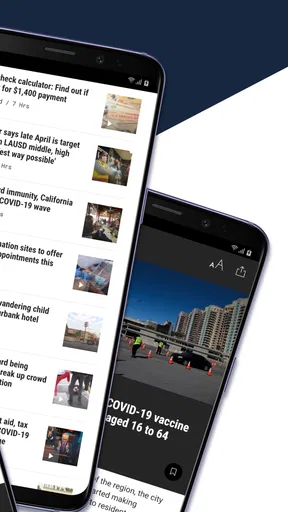
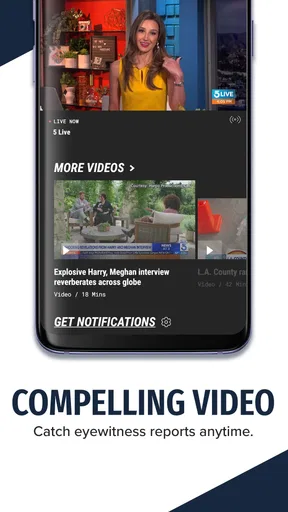
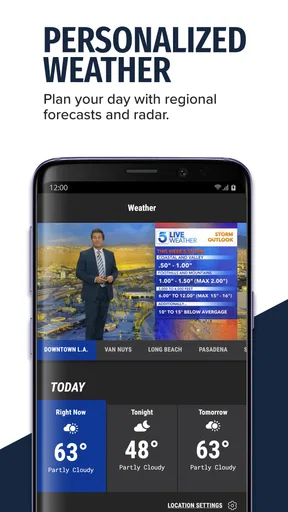
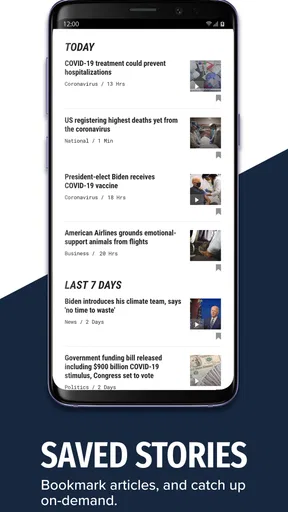
Our Review of KTLA 5 News Los Angeles
 Analysis by Appyee
KTLA 5 News Los Angeles is the kind of news app that can feel immediately useful when local events are moving quickly. I installed it expecting a straightforward way to follow Southern California headlines, and that is exactly where it makes the strongest first impression: it brings local reporting, breaking-news notifications, and live coverage into one place without asking me to build a complicated news routine.
That focus matters. Many general news apps treat Los Angeles as one market among many, while this app is built around KTLA’s local identity. The developer is Nexstar Inc., and the app sits in the News & Magazines category as a free download for Android. Its Teen content rating makes it more suitable for older children and adults than for very young users, especially because breaking news can involve serious or upsetting subjects.
How useful is KTLA 5 News after the first week?
During the first few days, the appeal comes from immediacy. I could open the app when I wanted a quick sense of what was happening around Los Angeles rather than scrolling through a national feed filled with stories that had little connection to my day. The local emphasis makes the experience feel practical: traffic-related events, weather developments, public safety stories, and community news are more relevant here than they would be in a broad national application.
The livestreaming option is another reason to keep the app nearby. Reading a headline is useful when I am in a hurry, but live coverage can add context when a story is developing. I found this especially helpful when I wanted to watch rather than repeatedly refresh a text page. The trade-off is that live video is not always the best choice for a quick check. If I only have a few seconds, a notification or headline is more convenient than opening a stream.
The app’s basic rhythm is easy to understand. I can check the latest local stories, look for a live broadcast, and return later when something important develops. That simplicity is a strength during the first week because there is little learning curve. I do not need to understand a complex recommendation system before finding the local coverage I came for.
One practical habit is to avoid treating every notification as equally urgent. Breaking-news alerts are useful when I genuinely need to know about a developing situation, but they can become distracting if left unrestricted. I would start with alerts enabled, then observe which ones actually help me. If repeated updates interrupt work or sleep without changing what I do, reducing notification access is a sensible adjustment rather than abandoning the app altogether.
For someone new to Southern California, this local concentration can be particularly helpful. A national app may tell me that an event is important, but a station-focused app is more likely to make the location and local consequences central to the experience. I would still use a dedicated navigation service for route decisions and an official emergency source for instructions, but KTLA 5 News can act as a useful early signal that something deserves attention.
The difference between a quick check and a full news session
I think the app works best when I use it in short sessions. Opening it in the morning gives me a local snapshot, while returning during a developing story lets me see whether coverage has changed. It is less convincing as a replacement for every other news source. Local television coverage has a particular editorial focus, and no single station should be my only way of understanding a complicated national or international story.
That distinction also helps answer a common question: is the app useful if I do not live in Los Angeles? It can be, but the value depends on why I am following the area. People with family, work, travel plans, or an interest in Southern California may appreciate the local feed. Someone who wants broad national coverage will probably find a general news reader more efficient.
The app is free, which lowers the barrier to trying it. I did not need to commit money just to see whether its local coverage fit my routine. That makes it easier to keep alongside another news app rather than forcing an all-or-nothing decision. The important question is not whether it can replace everything, but whether its local focus gives me information I would otherwise miss.
What remains valuable from month to month?
After the novelty fades, the lasting value depends on whether local news is part of my regular life. For a Los Angeles resident, the answer can be yes because local conditions change constantly and the app is aimed at that exact audience. The livestream and alerts give it recurring usefulness instead of making it a one-time headline browser.
For me, the strongest long-term use case is event-driven checking. I might not open a local news app every hour, but I would want one available when weather changes, a major incident develops, or a story affects an area I need to visit. That is a different kind of value from a social feed, where I may scroll out of habit without learning anything reliable. Here, the habit is more purposeful: check when local context matters.
A second useful routine is pairing the app with a slower source. I can use KTLA 5 News Los Angeles for immediate awareness, then read additional reporting elsewhere when I need background, timelines, or multiple perspectives. This approach respects the app’s strength without asking it to do a job it was not designed to handle alone.
The app had an average rating of 3.1 from around 4.9 thousand ratings, while roughly 1.8 thousand written reviews offer a broader sense of how people respond to it. I would not treat those figures as a final verdict, but they do suggest that the experience may be uneven for different users. News apps are especially sensitive to device performance, network quality, notification preferences, and expectations about video, so a middling public impression deserves attention before I make it my only source.
Its audience size is established rather than experimental, with over 100 thousand installs. That is reassuring if I want an app with a clear local purpose, but popularity alone does not guarantee that it will suit my phone or my habits. I would judge it by whether the updates are timely enough for my needs and whether the interface makes it easy to reach the information I actually want.
How it compares with broader news alternatives
Compared with a national news app, this one feels narrower but more geographically relevant. A general alternative is better when I want politics, business, science, entertainment, and international stories in one balanced stream. KTLA’s advantage is that I do not have to search as hard for Los Angeles coverage.
Compared with a social media feed, the app offers a more direct path to local reporting. Social platforms can surface eyewitness material quickly, but they also mix rumors, commentary, and unrelated posts. I prefer using the KTLA app when I want a newsroom-centered starting point, then turning elsewhere if I need first-person accounts or community discussion.
Compared with a station website opened in a mobile browser, a dedicated app can be more convenient for repeated checks and alerts. The difference is not automatically decisive, though. If I only read local news once every few weeks, a browser may be enough and avoids adding another app to my phone. The dedicated installation earns its place when I want the live and alert elements close at hand.
There is also a trade-off against specialized weather or traffic tools. KTLA can help me understand the news around a disruption, but it should not replace a navigation app for turn-by-turn decisions or a dedicated weather service for detailed forecasting. I get the most from it when I use it as a local news layer, not as an all-purpose utility.
The maintenance burden of keeping it useful
Maintaining a news app is less about constant setup and more about managing attention. I would review notification choices after the first week, especially if alerts arrive at inconvenient times or repeat information I already saw. A good local-news habit should make me more informed, not leave me feeling as though my phone is continuously demanding a reaction.
I would also keep the app updated when a newer release is available. The current version is 510.0.1, and the app supports Android 7.0 or later, so compatibility is relatively broad for older Android devices. That does not guarantee identical performance on every phone, but it means the app is not limited to only recent hardware.
Live video deserves its own maintenance decision. Streaming can consume more battery and data than reading headlines, so I would reserve it for Wi-Fi or for moments when the visual coverage genuinely adds value. If I am commuting with limited data, text updates are the more sensible choice. This is one of the easiest ways to make the app less demanding without giving up its main purpose.
Storage and home-screen space are also worth considering. I would not place the app where it becomes an automatic distraction unless I truly want frequent updates. Keeping it in a news folder, or opening it at planned times, helps preserve the useful part of the habit. The best long-term setup is not necessarily the one with every alert and shortcut enabled; it is the one that delivers local information without taking over the day.
Another practical tip is to separate awareness from action. An alert can tell me that something is happening, but I should verify instructions through the appropriate official channel before changing travel plans, responding to an emergency, or sharing information with others. This is not a weakness unique to KTLA; it is a sensible boundary for every breaking-news app.
Where the experience can become tiring
The first source of fatigue is repetition. Developing stories naturally produce follow-up alerts and updated articles, but several notifications about the same event can feel like noise if I am not directly affected. Adjusting the alert settings is therefore central to enjoying the app over time.
The second is emotional intensity. Local breaking news often concerns accidents, crime, disasters, or other difficult subjects. A station app designed to keep me informed may expose me to serious stories more frequently than a slower general-news routine. I would not recommend it to someone who wants a deliberately calm or entertainment-focused feed.
Video can create another point of friction. Livestreaming is valuable when I want continuous coverage, but it is less efficient than text for quick facts. Depending on my connection and device, a stream may also be inconvenient at the exact moment I need a rapid answer. I would treat it as an optional strength, not the reason every user should install the app.
There is also the question of editorial range. A local station perspective is useful, but it naturally emphasizes Southern California. If I expect a complete view of a national debate or an international crisis, I will need another source. That is not a criticism of the local focus; it is the boundary that makes the focus valuable in the first place.
People who dislike notifications, rarely follow Los Angeles news, or already have a trusted local-news workflow may not gain enough to justify another installation. In those cases, a mobile browser bookmark or a broader news reader could be simpler. I would also skip it as my primary source if I need deeply specialized reporting, extensive archives, or a deliberately multi-perspective reading experience.
A realistic everyday scenario
Imagine that I am preparing to leave for work and receive an alert about a developing incident near the part of Los Angeles I need to cross. I can open the app for the latest local report and, if the situation is being covered live, watch the broadcast for context. I would then use a navigation tool to choose a route and check an official source for any instructions. In that workflow, KTLA 5 News Los Angeles does something valuable: it connects a local event to my awareness quickly, while other tools handle routing and official action.
Later that evening, I might return for a broader update rather than following every alert during the day. This is where the app either becomes a lasting habit or gets deleted. If the local coverage consistently helps me understand what is happening around me, the short check is worthwhile. If the alerts only add anxiety without changing my decisions, I would reduce them or rely on a less immediate news routine.
My long-term verdict on the app
I see KTLA 5 News Los Angeles as a focused local-news companion rather than a universal news replacement. Its best qualities are the Southern California emphasis, breaking-news alerts, and access to livestreaming in one free app. Those features give it recurring value for residents and for anyone whose work, family, or travel plans depend on what is happening in the region.
The app earns lasting space on my phone when I use it deliberately. I would keep notifications selective, save live video for situations where it adds context, and pair the app with navigation, official emergency information, and broader reporting. That combination makes the experience more useful and reduces the frustration that can come from expecting one local station app to cover every information need.
My recommendation is therefore conditional but positive. If you want fast access to Los Angeles-area news and appreciate the convenience of live coverage, it is worth trying because the price is free and the purpose is clear. If you want a quiet feed, worldwide coverage, or detailed specialist reporting, another option will probably fit better. The lasting value comes from local relevance, not from opening it simply because it is installed.
For me, that is a fair reason to keep it available: I may not need it constantly, but when local events matter, it gives me a direct starting point. After the first-week curiosity disappears, that practical role is what determines whether KTLA 5 News Los Angeles remains useful. In the right Southern California routine, I believe it can.
Verdict
Strengths of KTLA 5 News Los Angeles
- Fast updates on breaking news across Los Angeles
- Useful local weather forecasts and severe-weather alerts
- Live newscasts help users follow major events in real time
- Covers traffic, sports, entertainment, and community stories
- Simple layout makes local headlines easy to browse
Limitations of KTLA 5 News Los Angeles
- Some articles may load slowly on weaker connections
- Frequent notifications can feel excessive for some users
- Video content may include advertisements before playback
- Coverage is focused mainly on Los Angeles and nearby areas
- Some features may require location access to work properly
Other Releases by Nexstar Inc.
View All
WIVB News 4
News & Magazines3.7

WGN-TV
News & Magazines3.3

NewsNation
News & Magazines3.3

Arkansas Storm Team
Weather4.4
Similar Picks in This Category
View All
Google News - Daily Headlines
Google LLC4.0

X
X Corp.4.8

Flipboard:Your Social Magazine
Flipboard3.4

Opera News: breaking & local
Opera4.5

Hindi News by Dainik Bhaskar
Dainik Bhaskar Group4.0

Way2News Daily News App
Way2News ( Formerly Way2SMS )4.6
Frequently Asked Questions
What is the KTLA 5 News Los Angeles app used for?
The KTLA 5 News Los Angeles app provides local news coverage for Southern California, including breaking news, weather forecasts, traffic updates, sports, entertainment, and community stories. During testing, its main value was the ability to check developing stories quickly and browse reports by category. It is particularly useful for Los Angeles residents, commuters, and anyone who wants regional news from KTLA 5 in a mobile format.
Does the KTLA 5 News Los Angeles app provide live news and video?
Yes, the app generally includes video reports and may offer live streaming during important news events, severe weather, press conferences, or special broadcasts. Availability can depend on your location, licensing restrictions, internet connection, and the station’s current programming schedule. Some content may be available on demand rather than continuously live, so users should not assume every television broadcast will always stream through the app.
Can I receive breaking-news, weather, and emergency alerts?
The KTLA 5 News Los Angeles app may send push notifications for breaking news, weather developments, traffic incidents, and other major local events. These alerts can be helpful during wildfires, earthquakes, storms, road closures, and public-safety situations. After installation, review the notification settings carefully because frequent alerts may be distracting. You can usually adjust or disable categories through the app or your device’s notification controls.
Is the KTLA 5 News Los Angeles app free to download and use?
The app is generally free to download, and many articles, videos, forecasts, and news updates can be accessed without a subscription. However, the experience may include advertising, sponsored content, or links to external services. Mobile data charges may also apply when watching video or using the app outside Wi-Fi. Features, availability, and any optional services can change, so check the current App Store or Google Play listing before downloading.
Does the app include Los Angeles weather and traffic information?
Yes, weather and traffic are among the most useful features for local users. The app typically offers current conditions, forecasts, severe-weather information, and reports related to commuting conditions or significant incidents. Forecast accuracy and traffic details can vary by neighborhood and by how quickly information is updated. For major emergencies, it is sensible to compare the app with official local alerts and transportation authorities.
